Orevyo turns your menu into a branded page guests open by scanning your QR code, in 11 languages. You can edit it at any time without reprinting. Add table ordering when you're ready: guests tap the NFC card on their table, and orders reach your cashier inbox.
Two animated previews. QR Digital Menu: a guest scans the restaurant's QR code, browses the menu and switches it to Greek; no table is identified and nothing is ordered. NFC Table Ordering: a guest taps the NFC card on their table, the restaurant and table 7 are recognised, they add dishes, send the order, and it arrives in the cashier order inbox.
9:41
Scanning the menu QR code…
Scan to explore the menu in your language.
Choose your experience
Start with a menu. Add ordering when it suits you.
Both plans give guests the same branded, multilingual menu. The difference is what happens after they've chosen.
Scan for the menu
QR Digital Menu
Guests scan your restaurant's QR code and browse your menu on their own phone, in their language. You edit dishes, prices, photos and availability whenever you like.
Browsing only: guests can't order or call staff
One QR code for the whole restaurant, no table setup
Everything in the menu, plus guests tap the NFC card on their table to send orders and assistance requests to your cashier order inbox, each linked to its table.
Orders arrive in the cashier order inbox; staff enter them into your POS
Help, allergy question and bill requests
The table is recognised from its card; a QR code or link never allows ordering
The QR code opens the same view-only menu for everyone, on either plan. Ordering is only possible after a guest taps the NFC card on their table, so a QR code or a shared link can never be used to send orders.
How it works
Browse with a QR code. Order with a tap.
These are the same screens your guests and staff use. There's nothing to install, for guests or for you.
QR Digital Menu · View-only
Scan for the menu
1Step 1
Scan the restaurant's QR code
One code for the whole restaurant: on tables, the counter or the window. It opens the menu and doesn't identify a table.
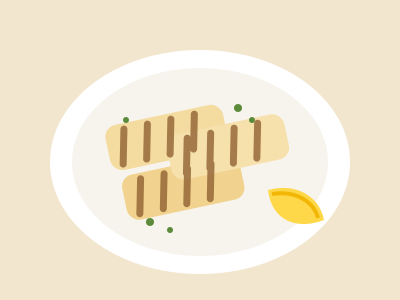
Grilled halloumi
Cypriot halloumi grilled over charcoal, with lemon and wild oregano.
€7.50
2Step 2
Browse in their language
Photos, choices and the allergen notes you've written, in 11 languages. Browsing only: no ordering from a QR code.
NFC Table Ordering · Ordering from the table
Table 7 recognised
1Step 1
Tap the table's NFC card
Orevyo verifies the card on its server and recognises the restaurant and table automatically. Nobody types a table number.
1× Lemonleaf burgerMedium · Brioche bun€13.50
Send order
2Step 2
Choose and send
Guests pick options, review their order and send it. Prices are always recalculated by Orevyo from your published menu.
#14 · Table 7
just now
New
1× Lemonleaf burgerMedium · Brioche bun€13.50
€13.50 Complete
3Step 3
Cashier order inbox
The order appears with the table number, for example on your POS computer. Staff enter it into the POS and mark it completed.
For owners
Change the menu yourself. No code, no reprint.
Edit a price, a photo or a description, preview it, then publish. Sold-out switches take effect straight away, so guests don't order what the kitchen has run out of.
Orevyo · Menu editor
From the grill
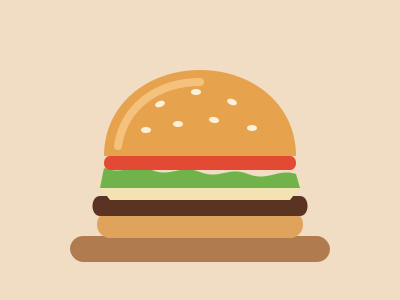
Lemonleaf burger
Price (€)
13.50
Available now
Available
Live for guestsPublish
Guest's phone
Lemonleaf burger
Beef patty, grilled halloumi, tomato, lettuce and pickles in a toasted bun.
€13.50
Why restaurants use it
Practical everyday improvements.
No inflated promises. These are the concrete things Orevyo changes for your team and your guests.
Let guests browse in their preferred language.
Eleven languages, including Greek, Hebrew and Arabic (shown right to left). Guests see your translation with the English original underneath. Anything you haven't translated yet appears in English, clearly marked.
Μπέργκερ Lemonleaf
Lemonleaf burger
Μοσχαρίσιο μπιφτέκι, χαλλούμι σχάρας, ντομάτα, μαρούλι και τουρσί σε φρυγανισμένο ψωμάκι.
13,50 €
Update prices without reprinting your entire menu.
Halloumi goes up by 50 cents? Change it in your dashboard, check the preview and publish. The QR codes on your tables stay the same.
Grilled halloumi€7.50€8.00
Keep availability current.
When the kitchen runs out, staff flip a sold-out switch and guests see it straight away. There's no need to republish, and nobody orders what you can't serve.
Lamb kleftiko
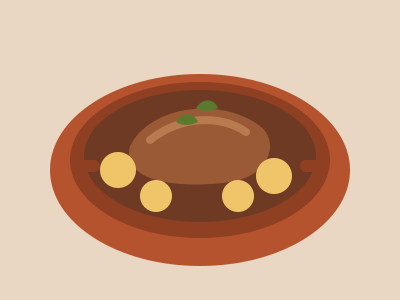
Lamb slow-cooked in a clay oven with potatoes and herbs.
€18.50Sold out
Give your team a clear, table-linked order inbox.
Every order shows the table, dishes, choices, notes and the total Orevyo calculated. Staff tick it off once it's in the POS. It works on any tablet or computer with a browser.
#27 · Table 12
just now
New
2× Chicken souvlaki pittaTzatziki€19.00
1× Fresh lemonadeLarge€5.50
€24.50 Complete
Let guests request help or the bill from their phone.
NFC Table Ordering
Three clear requests, each confirmed before sending, so staff know what's needed before they walk over.
Help with my order
Allergy question
Request the bill
Keep using your existing POS.
There's no integration project and nothing to replace. Staff enter each Orevyo order into the till they already use, then mark it completed.
Orevyo never charges guests for meals.
Pricing
Two plans. Clear monthly prices.
Pick your table count to see the one-time setup fee. The monthly price stays the same.
QR Digital Menu
An editable, branded, view-only menu guests open by scanning your QR code.
Monthly
€19 / month
One-time setup
€99 once
Setup for up to 20 tables. The monthly price is the same for any number of tables.
Editable categories, menu items, descriptions, prices and photos
Your restaurant's branding: logo, colours and fonts
Multilingual menu in 11 languages
One restaurant QR code to print and place anywhere
Monthly subscription and one-time setup are separate charges. For 21–40 tables the setup fee is €50 higher, once; the monthly price does not change.
Which physical items are included in setup (such as NFC cards or printed QR codes) is agreed with you before you pay.
Prices in euros. Tax treatment (VAT) will be confirmed before billing starts.
Estimate with your own numbers
Will it pay for itself? Work it out honestly.
Enter what you really spend and how your service runs. Some restaurants won't save money on printing, and the estimator will show that.
The numbers filled in are illustrative examples, not research findings. Replace them with your own.
QR Digital Menu
Printing you avoid, minus paper you keep
€350.00
Subscription (12 × €19.00)
−€228.00
One-time setup
−€99.00
First-year net printing benefit
€23.00
Each later year (no setup fee)
€122.00
NFC Table Ordering
Printing you avoid, minus paper you keep
€350.00
Subscription (12 × €39.00)
−€468.00
One-time setup
−€199.00
First-year net printing benefit
−€317.00
Each later year (no setup fee)
−€118.00
Staff time recovered: about 4.3 hours a month
Add an hourly staff cost to see what that time is worth to you.
With these numbers, printing savings alone don't cover this plan's cost in the first year. That's normal for restaurants that rarely reprint.
How it's calculated: first-year net printing benefit = printing avoided − paper kept − 12 × monthly price − setup fee. Recovered hours = orders per day × days open × share through Orevyo × net minutes ÷ 60. Printing is counted once for each plan, not added twice. These are estimates from your inputs, not a promise of savings or sales. Digital menus mainly save on reprinting when prices or dishes change often. For general background, see Lightspeed's guide to digital menus (a POS vendor's article, not an Orevyo study).
FAQ
Questions restaurants ask us.
See your restaurant on your guests' phones.
Try the demo in a minute, or create your account and build your menu at your own pace. You can preview everything before a single guest sees it.